Summarise this article using AI





Building a healthcare website on Webflow requires balancing premium, patient-centric UI/UX design with strict regulatory guardrails. Because Webflow does not natively offer a Business Associate Agreement (BAA) or provide HIPAA-grade data encryption, it cannot directly store or process Protected Health Information (PHI).
The industry solution is a decoupled, three-layer architecture:
- Public Marketing Layer: Webflow securely hosts the public-facing site—such as provider bios, location pages, and WCAG/ADA-accessible design layouts.
- The PHI Boundary: Clear design limits ensure no native Webflow forms or chat widgets capture identifying health details or symptoms.
- BAA-Covered Layer: Any interactive patient action—like intake forms, scheduling, or portal logins—is handed off seamlessly to dedicated, HIPAA-compliant third-party tools (e.g., Keragon) that sign a BAA.
Additionally, tracking pixels (like Google Analytics or Meta) must be carefully audited to prevent data leaks, ensuring compliant user-journeys from search engine to patient portal.
Is Webflow HIPAA Compliant?
No. Webflow does not offer a Business Associate Agreement, and without one, it isn't HIPAA compliant. That's a direct answer to the question most healthcare teams researching Webflow actually want answered first, and it's worth stating plainly before anything else in this guide, because it changes how a healthcare website on Webflow needs to be architected, not whether Webflow can be used at all.
A BAA is the contract HIPAA requires between a covered entity (a healthcare provider, health plan, or clearinghouse) and any vendor that creates, receives, maintains, or transmits Protected Health Information on its behalf. The requirement isn't unique to HIPAA's original 1996 text; the HITECH Act of 2009 extended direct liability to business associates themselves and sharpened breach-notification rules, which is part of why getting this distinction right matters more now than it did when Webflow first launched. Webflow doesn't sign a BAA, doesn't provide HIPAA-grade encryption for data at rest, and doesn't offer the audit logging HIPAA requires for tracking access to sensitive health data.
That doesn't mean Webflow is insecure in a general sense. Webflow's Enterprise tier carries SOC 2 Type II certification, an independent audit of general security controls, and that's a real, verifiable credential. It's just a different, narrower scope than a HIPAA BAA: SOC 2 demonstrates Webflow takes infrastructure security seriously, but it isn't a substitute for the specific contractual and technical guarantees a BAA provides around PHI handling. A platform can be genuinely well-secured and still not be the right place for protected health information to live.
What this means in practice: Webflow can be an excellent platform for a healthcare organization's public-facing marketing site, as long as Protected Health Information never actually flows through it. This guide covers exactly where that line sits and how to architect a healthcare website so Webflow handles what it's good at while something else handles anything touching PHI. This is general technical guidance, not legal advice; confirm your specific compliance posture with a healthcare attorney or compliance consultant before launch.
What Counts as PHI on a Website (It's Broader Than You'd Think)
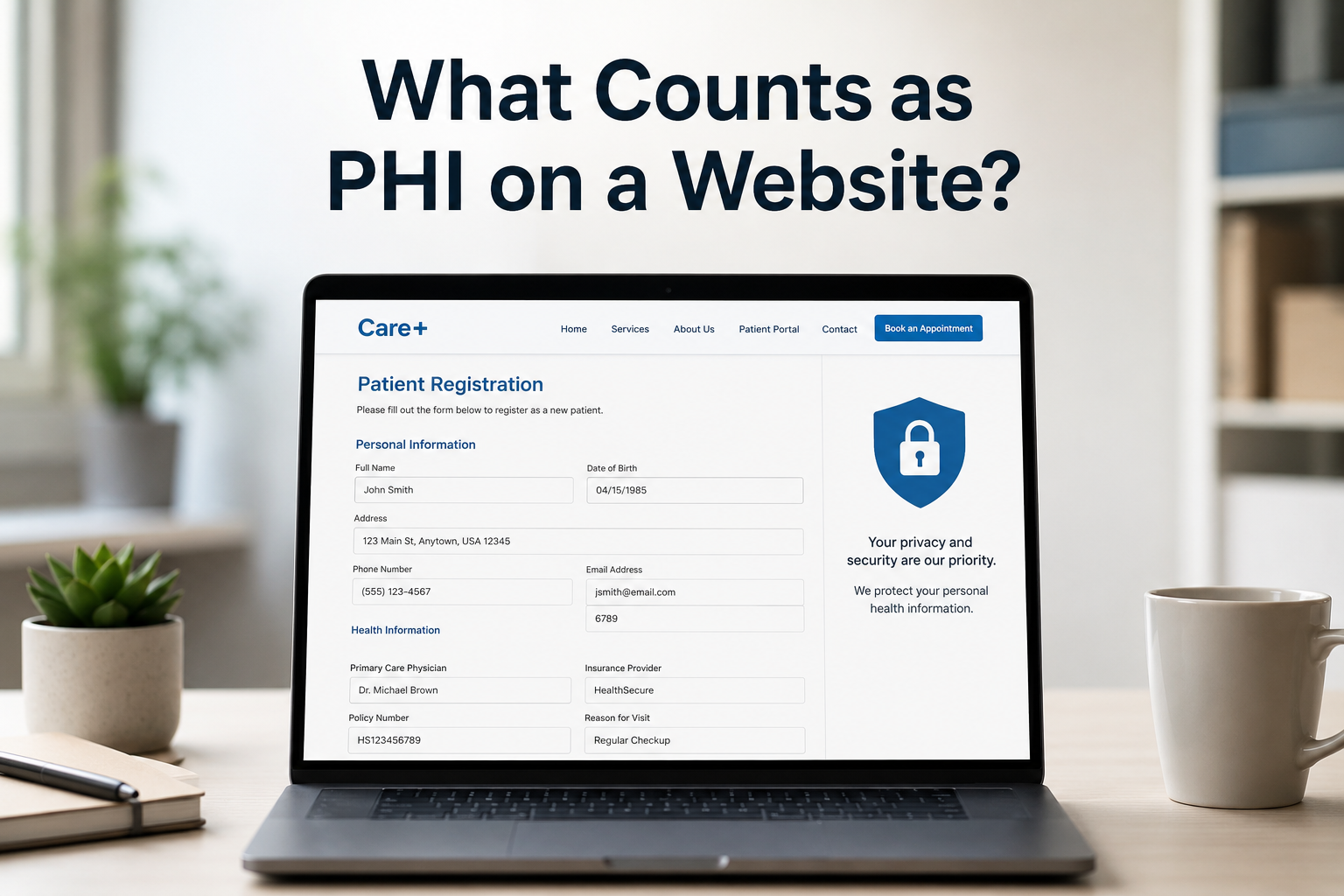
Protected Health Information isn't just medical records. On a website specifically, it includes any combination of identifying information (a name, email, or phone number) paired with health-related context. Common, easy-to-miss PHI collection points include:
- A symptom description typed into an open contact-form field
- An appointment request that names a condition or treating physician
- An intake or referral form
- A patient portal login
- A file upload field for insurance cards or referral letters
- A chat widget that logs full conversation transcripts where a visitor describes their condition
- An autocomplete-enabled form field that browsers sometimes populate with previously entered health-adjacent text
- A URL structure where a patient portal link includes an appointment ID or condition code as a query parameter, which can end up logged in server access logs or analytics tools
A generic "request more information" form that only asks for a name and a phone number generally isn't PHI. The same form with a field asking "what brings you in today" usually is, the moment a real person fills in a real symptom. This distinction is where most healthcare marketing sites get into trouble, often without anyone making a deliberate decision about it.
A well-meaning addition of a "tell us about your situation" textarea to a contact form, built with Webflow's native form element, can turn an otherwise compliant marketing page into a PHI collection point processed by a platform with no BAA in place.
The Tracking Pixel Problem Most Healthcare Sites Don't Know They Have
This deserves its own section because it's a genuinely common, underappreciated risk that has nothing to do with forms at all, and it has produced some of the largest real-world HIPAA-adjacent settlements in recent memory. Standard marketing analytics and advertising pixels, the same Google Analytics.
Meta Pixel setups used on virtually every commercial website, became the subject of direct HHS Office for Civil Rights attention in December 2022, when OCR issued guidance stating that tracking technologies sharing identifiable health information without proper patient authorization violate HIPAA, regardless of whether the receiving party is a tech company rather than a traditional healthcare vendor.
The financial stakes turned out to be substantial. Advocate Aurora Health agreed to a $12.225 million settlement after Meta Pixel and Google Analytics, installed across its website, app, and patient portal, disclosed data potentially affecting its entire patient base of roughly 3 million people.
It wasn't an isolated case: by mid-2025, MarinHealth ($3 million), Jefferson Healthcare, Reid Health, and several other health systems had reached comparable settlements, and discovery in ongoing consolidated litigation has identified more than 660 hospital systems where Meta Pixel received patient data. This is the single most underestimated compliance risk for a healthcare website, precisely because it's invisible to anyone who isn't specifically looking for it.
The mechanism is subtle: a pixel doesn't need a form submission to leak PHI. If a visitor navigates from a page titled "Oncology Appointment Confirmation" while logged into a patient portal, or a URL path itself contains a condition name, a standard analytics or ad-retargeting pixel can transmit that page context, combined with identifying signals like IP address or a logged-in cookie, to a third party that never signed a BAA and was never meant to receive health information at all.
For a healthcare site built on the three-layer architecture below, the practical implication is to audit analytics and advertising tools with the same scrutiny applied to forms, since a leak through a tracking pixel is just as real a violation as a leak through a noncompliant form, even though it's far less visible to whoever built the site. Standard Google Analytics and Meta Pixel implementations are reasonable on the public marketing layer (a services page, a blog post, a location page) as long as no PHI-adjacent context (page titles, URL parameters, or referrer data tied to anything past the PHI boundary) ever reaches them.
They should never be present on anything past that boundary, including any patient portal or scheduling tool a visitor is handed off to, even if that tool is itself otherwise BAA-covered, since a generic marketing pixel embedded there defeats the purpose of routing PHI through a compliant vendor in the first place.
The Three-Layer Healthcare Website Architecture
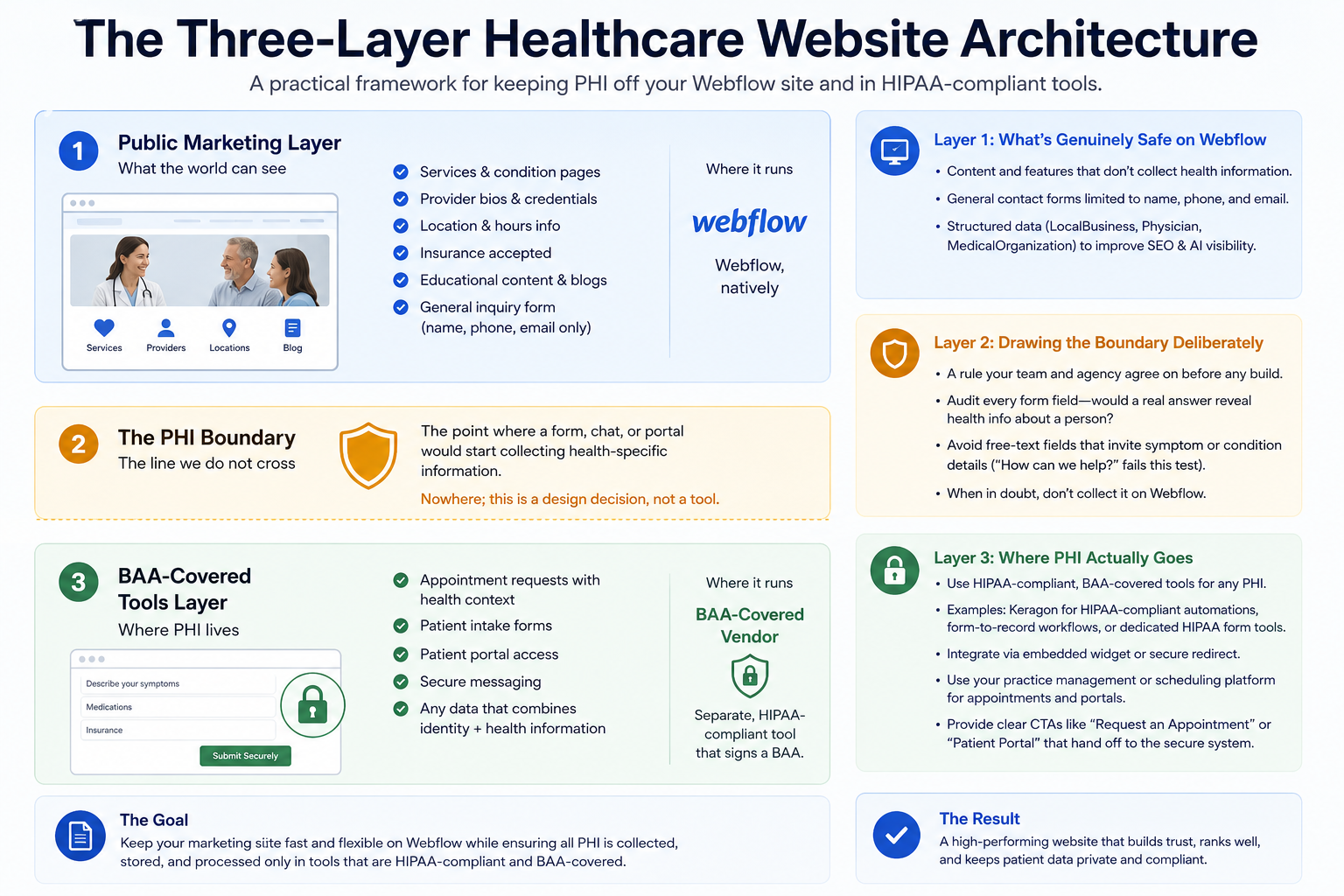
The practical fix isn't avoiding Webflow. It's architecting the site so PHI never reaches Webflow's own form processing, CMS storage, or hosting layer in the first place. We use three layers when building a healthcare site on Webflow:
LayerWhat lives hereWhere it runs1. Public Marketing LayerServices and condition pages, provider bios, location pages, blog content, general inquiry forms with no health detailWebflow, natively2. The PHI BoundaryThe point where a form, chat widget, or portal link would start collecting health-specific informationNowhere; this is a design decision, not a tool3. BAA-Covered Tools LayerAppointment requests with health context, intake forms, patient portal access, secure messagingA separate, HIPAA-compliant vendor that signs a BAA
Layer 1: What's Genuinely Safe on Webflow
The bulk of a healthcare website's content lives here and carries no HIPAA exposure: descriptions of services and conditions treated, provider credentials and bios, location and hours information, insurance accepted, general health content and blog posts, and a basic contact form that collects only a name, phone number, and email with no symptom or condition field. Structured data for LocalBusiness, Physician, or MedicalOrganization schema fits naturally here and helps both traditional search and AI answer engines understand and surface the practice accurately.
Layer 2: Drawing the Boundary Deliberately
The PHI boundary isn't a piece of software; it's a rule your team and your agency agree on before a single form field gets built: nothing on the Webflow-hosted site collects or transmits information that combines identity with health context. In practice, this means auditing every form field on the site (not just the obvious "patient intake" page) and asking whether a real answer to that field would reveal something health-related about a named person. A "how can we help" open text field on a contact form fails this test almost immediately, because patients will use it to describe symptoms regardless of what the label says.
Layer 3: Where PHI Actually Goes
Anything that crosses the boundary needs to be handled by a tool that signs a BAA and is built for PHI from the ground up. Third-party platforms built specifically for this, such as Keragon for HIPAA-compliant automations and form-to-record workflows, or dedicated HIPAA-compliant form tools, integrate with Webflow by handling the actual data collection and processing themselves, often via an embedded widget or a redirect to a separately hosted, BAA-covered page, while the surrounding marketing site stays on Webflow. Practice management and scheduling platforms used by most healthcare organizations already operate this way, and the cleanest pattern is usually a clearly labeled "Request an Appointment" or "Patient Portal" button that hands off to that system entirely rather than trying to replicate any of that functionality in a native Webflow form.
What This Looks Like for a Typical Appointment Request
A common failure pattern: a practice wants visitors to request an appointment and describe why, so a Webflow form gets built with name, email, phone, and a "reason for visit" field, submitting to Webflow's native form backend or a general-purpose email notification. That's a PHI collection point running through infrastructure with no BAA, the moment someone writes "follow-up on my diagnosis" in that field.
It's also worth noting the email notification angle specifically: even if the form itself were somehow compliant, routing a submission containing health context to a staff member's plain email inbox is a separate exposure, since standard email isn't encrypted to HIPAA's standard either, regardless of which form tool generated the message.
The architecture above instead has that button link to or embed a BAA-covered scheduling or intake tool, where the reason-for-visit field is collected and stored by a vendor contractually and technically built for it, including secure internal routing to staff rather than a plaintext email. The Webflow site's job stops at "here's how to request an appointment," not at collecting or transmitting the actual health context.
Webflow Compared to Other Platforms on HIPAA
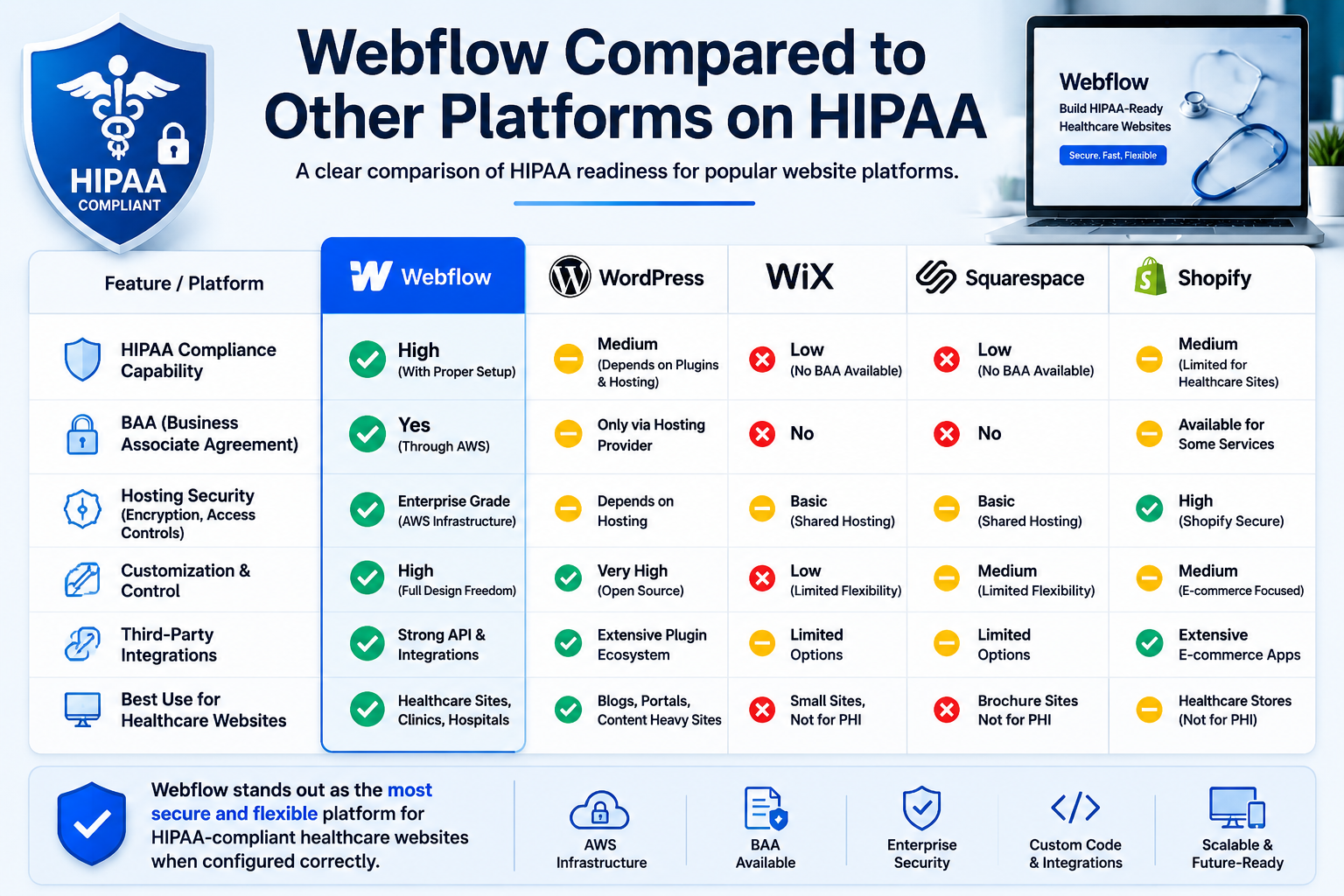
This isn't a Webflow-specific gap; it's closer to the norm for general-purpose website builders, with a couple of notable exceptions worth knowing about if platform choice is still open.
PlatformNative BAA available?Practical path to complianceWebflowNoArchitectural: keep PHI off the platform entirely, route it through third-party BAA-covered toolsWixYes, on certain higher-tier healthcare-oriented plansPlatform-native, with Wix itself as the signed business associateWordPress (self-hosted)No, by defaultRequires specifically HIPAA-compliant hosting that itself signs a BAA; shifts the burden to hosting and server configurationDedicated healthcare platforms (e.g., Blaze)Yes, built-in from the ground upPlatform-native, typically with a narrower design and CMS feature set than Webflow
Wix's certain higher-tier healthcare-oriented plans are a genuine point of difference if a true platform-native HIPAA path matters more to your organization than Webflow's design and CMS capabilities. WordPress can be configured for HIPAA compliance, but only through self-managed, specifically HIPAA-compliant hosting that itself signs a BAA,
Which shifts the compliance burden onto hosting and server configuration rather than the CMS itself. Webflow currently offers neither path, which is exactly why the layered architecture above, rather than a platform-level compliance feature, is the realistic approach for a healthcare team that wants Webflow specifically for its design and content workflow strengths.
A Practical Pre-Launch Checklist
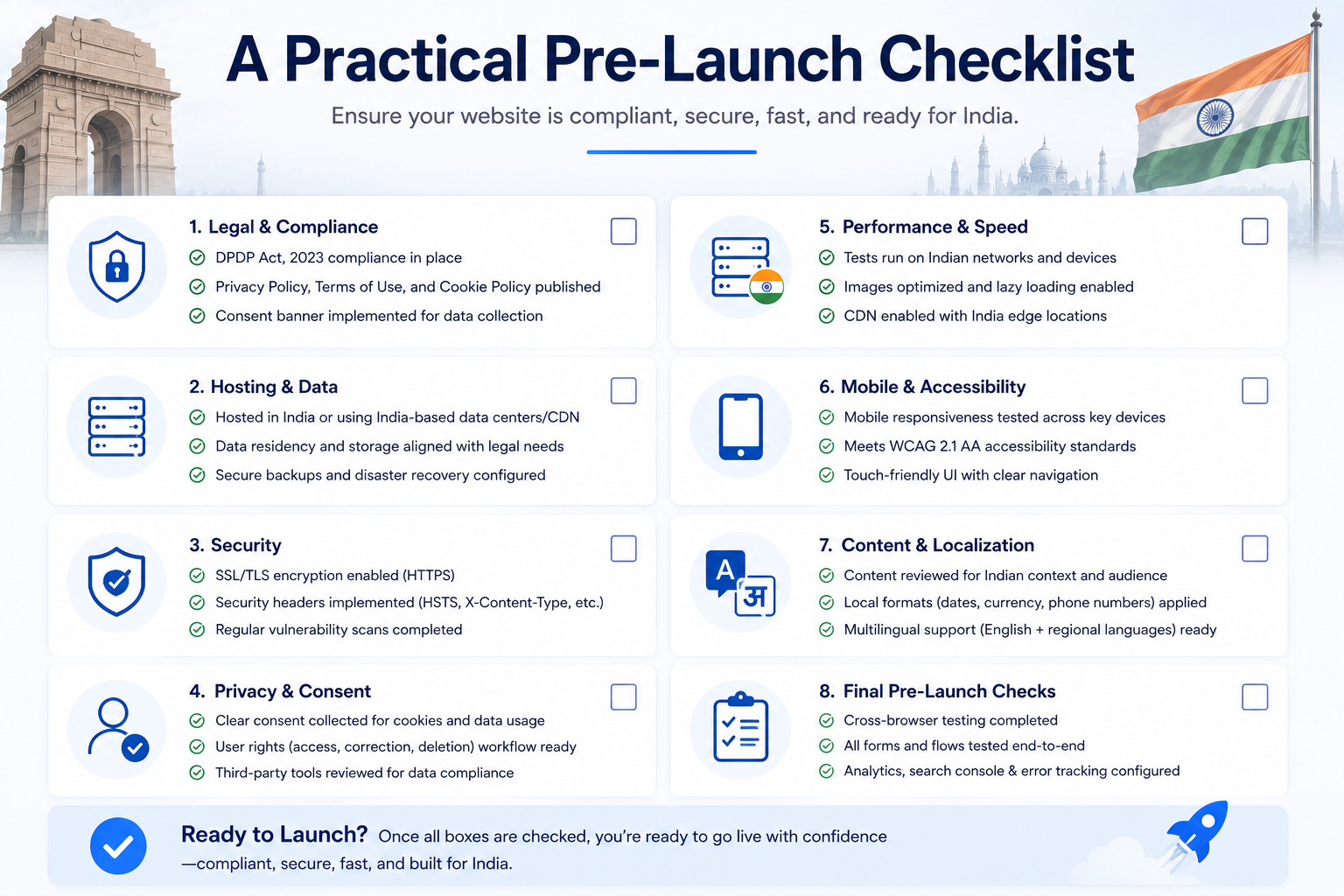
Before a healthcare site on Webflow goes live, walk through this directly with whoever built it:
- Every form on the site has been reviewed field by field against the PHI test described above, not just the obviously health-related ones
- Any appointment, intake, or portal access point hands off to a BAA-covered tool rather than processing through Webflow's native form backend
- Analytics and advertising pixels are confirmed absent from anything past the PHI boundary, and confirmed not to be capturing page titles, URLs, or parameters that reveal health context on the public marketing layer either
- Email notifications tied to any form, even non-PHI ones, are reviewed for what they actually contain
- Someone, internally or via the agency, owns a documented process for handling a data subject's access, correction, or deletion request if one comes in
Healthcare-Specific Design Considerations Beyond Compliance
Compliance is the highest-stakes consideration, but not the only one specific to healthcare. Accessibility carries unusually direct legal and ethical weight in this sector, since the population searching for a healthcare provider includes a meaningfully higher share of visitors with visual, motor, or cognitive disabilities than the average commercial site.
ADA accessibility litigation specifically targets healthcare alongside e-commerce as a frequent category. Our Webflow WCAG and ADA compliance guide covers the technical implementation in detail and applies directly here.
Trust signals matter more on a healthcare site than almost any other vertical: visible provider credentials, clear insurance and cost information, and genuine patient outcomes (where they can be shared without becoming PHI themselves) all do real work in a sector where the visitor is making a decision under stress, often about their own or a family member's health.
Is Webflow HIPAA compliant?
No, not on its own. Webflow doesn't offer a Business Associate Agreement, doesn't provide HIPAA-grade encryption for data at rest, and lacks the audit logging HIPAA requires. A healthcare organization can still use Webflow for its public marketing site as long as Protected Health Information is routed through a separate, BAA-covered tool rather than Webflow's native forms or CMS.
Can I use a Webflow form to collect patient information?
Not if that information qualifies as Protected Health Information, meaning identifying information combined with health context. A form collecting only a name and contact details for general inquiries is generally fine on Webflow natively. Anything asking about symptoms, conditions, or treatment should route through a separate HIPAA-compliant tool instead.
What's the difference between a HIPAA-compliant website builder and Webflow?
A small number of platforms, including Wix on certain plans, offer a built-in Business Associate Agreement and HIPAA-oriented infrastructure directly. Webflow doesn't currently offer this path, which means HIPAA compliance for a Webflow-built healthcare site has to be achieved architecturally, by keeping PHI off the platform entirely, rather than through a platform feature.
Do I need a BAA with my Webflow agency too?
Generally, only if that agency or its tools will directly handle PHI on your behalf, which a well-architected build specifically avoids. If your agency is only building the public marketing layer and PHI is handled entirely by a separate, dedicated tool, a BAA with the web agency typically isn't required, though this is exactly the kind of question worth confirming directly with a compliance attorney for your specific situation.
Is this guide legal advice?
No. This is general technical and architectural guidance based on how Webflow and HIPAA's BAA requirement function. Confirm your organization's specific compliance posture, including whether a BAA is required with any particular vendor, with a qualified healthcare compliance attorney before launch.